Instapaper on Apple Watch
https://player.vimeo.com/video/125853815
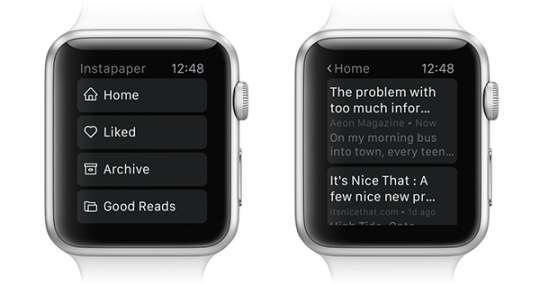
Today we’re introducing a whole new way to get through your articles with Instapaper for the Apple Watch. The Watch app allows you to navigate to any saved article and trigger text-to-speech playback from your iPhone:
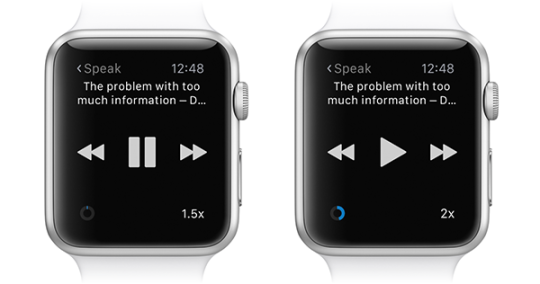
Once an article is selected, the Watch app provides you with a text-to-speech controller that includes options to play, pause, fast forward, rewind, change the rate, and view the article’s current progress:
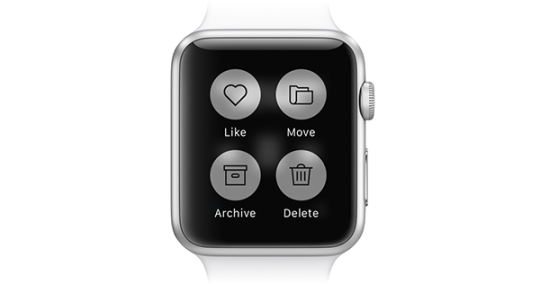
When you’re done listening to an article, just long-press the text-to-speech controller to like, organize, archive, or delete the article:
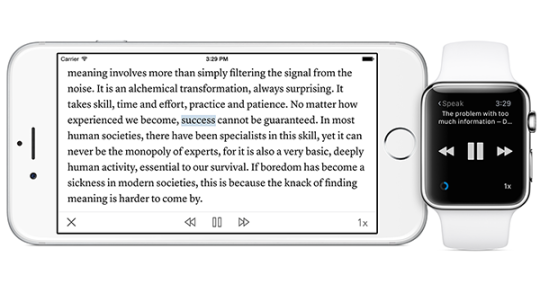
We took a lot of extra effort to ensure that the Watch and iPhone apps are completely synchronized, so when you launch Instapaper on your iPhone, it will open to the exact position of the article being played by the Watch:
We’ve been working on Instapaper’s Apple Watch app intermittently since December and we’re really excited by the possibilities this new interface opens up. We’re sure you’ll enjoy using it as much as we enjoyed building it!
As always, please send us your thoughts in the comments below, on Twitter @InstapaperHelp, or via email to support@help.instapaper.com
Thanks!
- Instapaper Team