Instapaper 7
Today, we’re launching a brand new Instapaper experience tailored specifically for iOS 9. In addition to implementing a lot of great iOS 9 features, we’ve thrown in some core enhancements, and we think the combination is a perfect balance of the classic Instapaper experience and iOS 9 features. We’ve been working hard on Instapaper 7 for the past couple of months, and we’re really excited to get this release into your hands!
Article Thumbnails
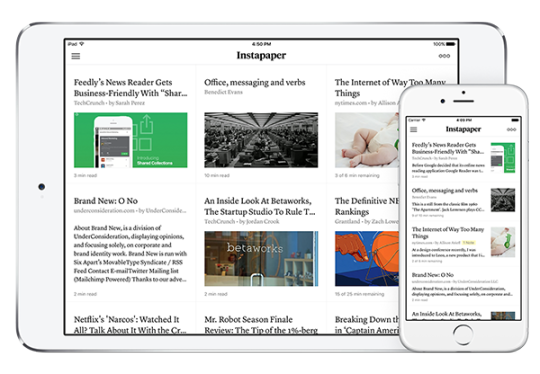
The biggest visual enhancement to this release is the addition of thumbnail images to the article listings. The addition of thumbnail images is a big departure from the old Instapaper design, which leveraged text heavily, but we think it’s a huge improvement that’s been needed for some time now. Of course, if thumbnail images aren’t your thing, you can easily disable them in Settings!
iPad Redesign
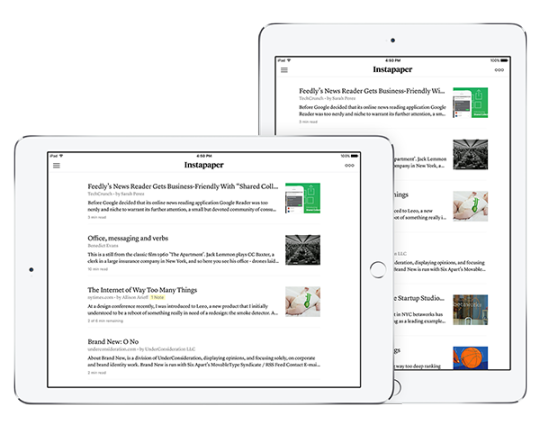
We’ve completely rethought the layout of iPad to create a more consistent and unified experience across all iOS devices. The old, persistent navigation bar has been completely removed, providing Instapaper with more space to display your articles. For the iPad article rows, we’ve added margins to the left and right to preserve an optimal number of characters per line, which works great for both landscape and portrait presentations:
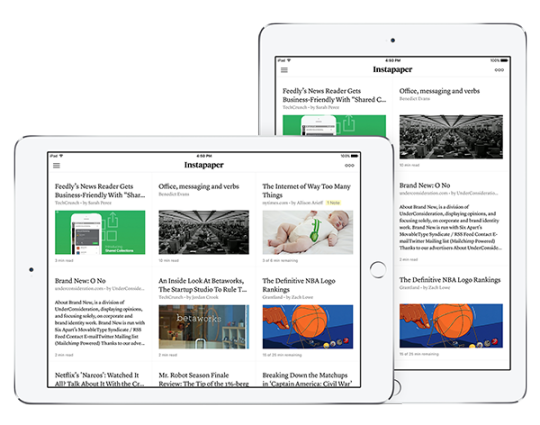
With the article grid view enabled on iPad, we’ve adopted a fluid grid layout that dynamically adapts to display your articles at any screen size (we’ll see why that’s important next):
iPad Multitasking
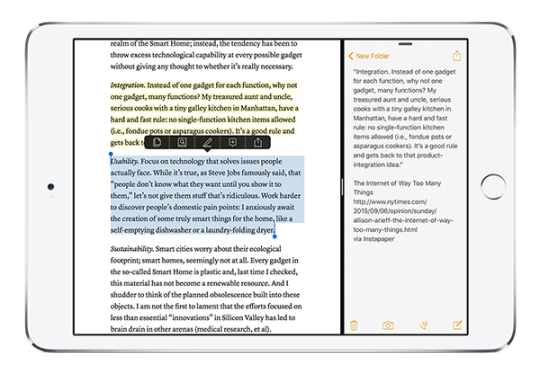
For our users with an iPad Air 2, an iPad Mini 4, or an iPad Pro, the app now supports iPad multitasking. Want to read Instapaper while tweeting your favorite quotes? How about composing an email and copying clips from Instapaper? Now you can do that with both apps conveniently sharing screen space. The only caveat is that the app running side-by-side next to Instapaper also has to support iPad multitasking!
Picture-in-Picture Video
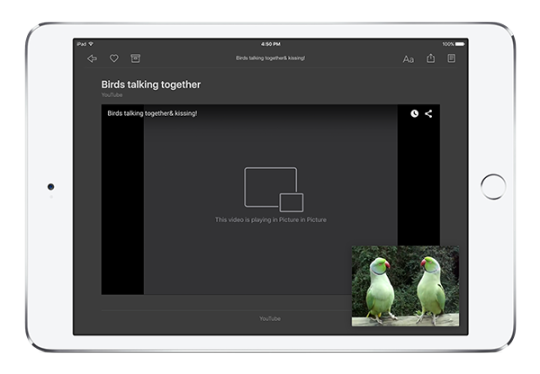
Another exciting, new feature for the iPad on iOS9 is picture-in-picture video support, which is great for saving long YouTube or Vimeo videos to Instapaper, playing them back on your iPad, and watching the videos while you do other things, like answer emails or browse the web:
San Francisco Font
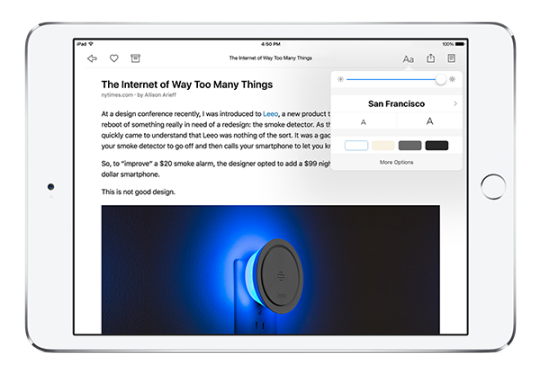
With iOS 9, Apple is introducing their own San Francisco font as the new system default, and we’ve added it as a reading option in Instapaper! San Francisco is a beautiful, neutral sans-serif and is an excellent addition to our existing selection of sleek sans-serif fonts, including Ideal Sans and Proxima Nova.
There are a few other awesome features we added to this release, like a redesigned navigation menu, but this post is getting fairly long so instead of writing about it, we encourage you to grab Instapaper 7 via the App Store and get hands-on!
Also, if you love the work we’ve been doing on Instapaper, we’d be forever grateful if you’d subscribe to Instapaper Premium. Winter is coming and our shoes are all worn thin.
Thanks!
Instapaper Team