Instapaper Notes for Android
In June, when we introduced Notes for web and iOS, we promised that our Android app would follow suit shortly. Today is that day, and we’re very happy to be launching Notes with Instapaper Android 4.3!
In case you haven’t been re-reading that initial post in anticipation, here’s a rundown of how Notes work on Android.
Creating a Note
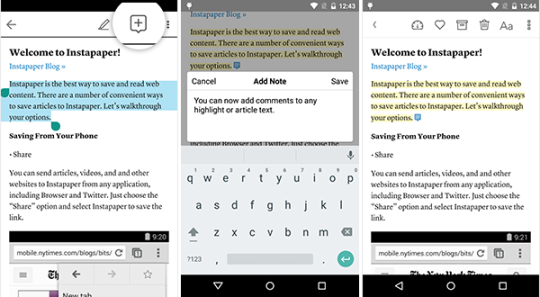
You can create a note from scratch by selecting some text and then choosing the “Highlight” or “Add Comment” icon from the selection menu. The latter will automatically create a highlight and bring up a comment box, where you can add whatever commentary you’d like to the selected text. After that, just hit the “Save” option and you’ve got yourself a note!
You can also add comments to any existing highlights by tapping the highlight in the article body and then choosing the “Add Comment” icon on the toolbar.
Viewing a Note
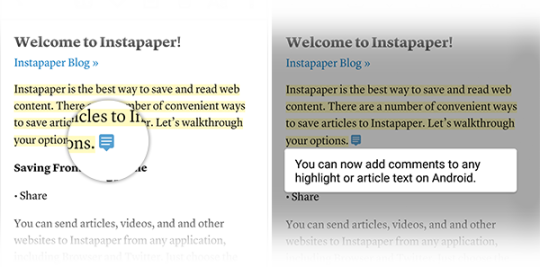
All your notes, which include highlights and comments, are handily grouped together in the Notes portion of the app. Selecting a note from that section will open up the associated article right at the location of the note. To view a comment from an article, just tap on the blue comment indicator:
Editing a Note
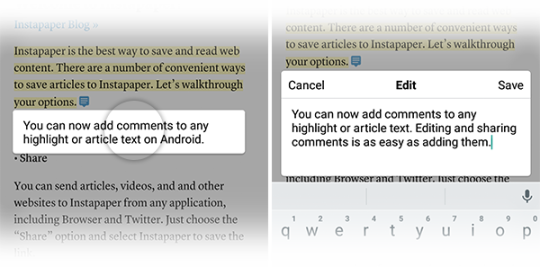
To edit the comment portion of a note, just tap the comment overlay, put in whatever changes you’d like, and then press the “Save” button.
Deleting a Note
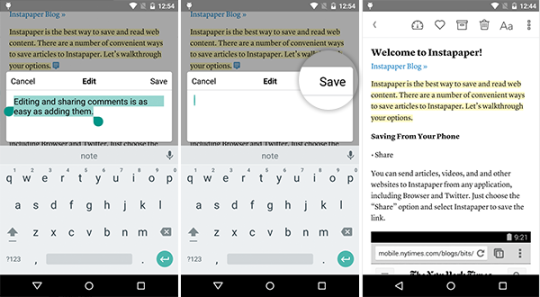
You can remove the entire note by tapping on the highlight portion of the note and then choosing the “Remove” option from the toolbar. If you just want to delete the comment portion, but keep the highlight associated with it, edit the comment to have no text and then hit “Save.”
Sharing a Note
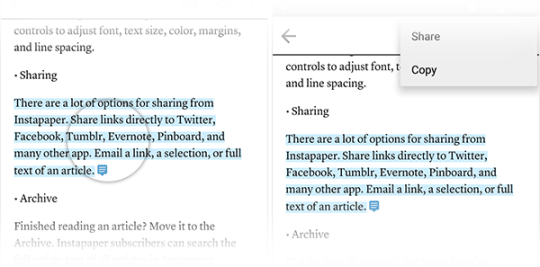
To share a note, tap the highlight portion of the note, choose the “Share” option from the overflow menu, and then select the service with which you’d like to share the note:
Sharing All Notes
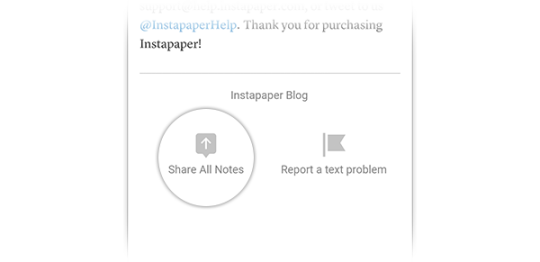
If you’ve added too much insightful commentary for a single share to suffice, you can share all the notes for an article via the “Share All Notes” button that’s present at the end of any article containing notes.
If you have any questions about Notes or anything else Instapaper, please reach us at support@help.instapaper.com or @InstapaperHelp as we love to hear your feedback and are more than happy to any answer questions. Thanks, as always, for using Instapaper.