Introducing a new search experience for iOS
Earlier this year, we rebuilt our search backend as a first step in making search on Instapaper faster and easier to scale. Today, we’re launching a completely overhauled search experience on iOS, which is now available to all users on Instapaper version 7.2.
Search in half the taps
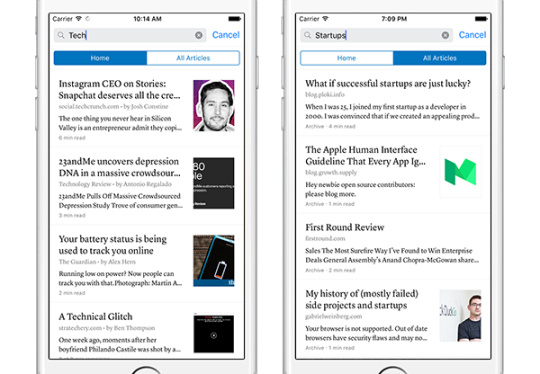
The new search comes with big improvements and is accessible directly at the top of your article list (without having to go through the side menu). Just scroll up on the article list to reveal the search bar.

Local search for everyone
Once you tap the search bar, you’ll see an option to search either your current section (e.g. Home) or All Articles. Everyone can search by title in the current section, regardless of connectivity. If you’re an Instapaper Premium subscriber, the All Articles tab provides you access to full-text search.
Manage articles in search results
In addition to filtering results by section, you can also manage your articles in search results. Swipe across any article entry in search for options including “move to a folder”, “archive”, “delete” or “share”.
Open search results in reader view
Previously, articles in search results would open within the in-app browser. Now, if you open an article from search results, you’ll stay in the Instapaper app–even if the article isn’t stored on your device–and have access to all Instapaper reader features.
Other improvements
This release also has several fixes and improvements based on your feedback, including support for iOS10. If you have any questions, feature requests or issues you’d like us to sort out, please reach out to support@help.instapaper.com or @InstapaperHelp on Twitter. We love hearing from our users, and we thank you for choosing Instapaper!
– Instapaper Team