Instapaper API v2
Enabling developers to build integrations used by millions of Instapaper users. Modernized and seamless.
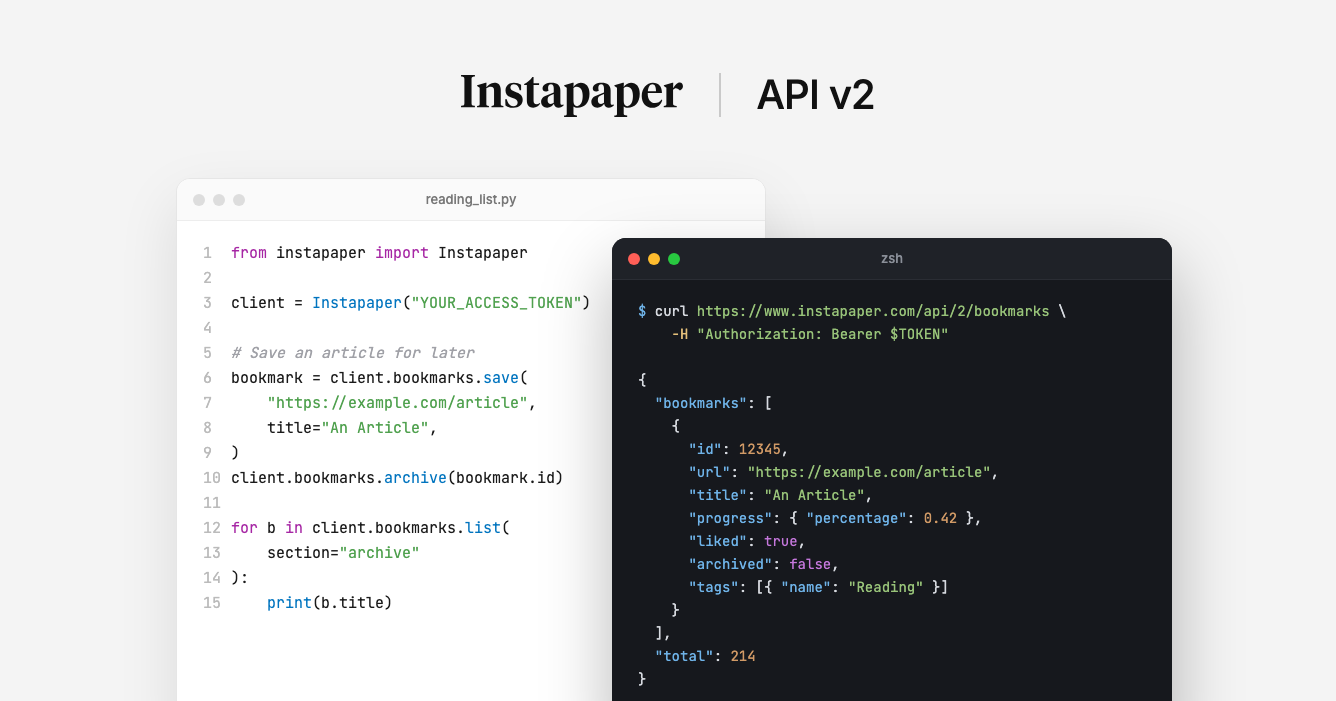
Today, we’re launching Instapaper API v2, a new API built on modern standards: OAuth 2, bearer tokens, RESTful design, and more. We’re also releasing first-party SDKs for Python and TypeScript, along with an OpenAPI spec for the new API.
We launched API v1 in 2011. Since then developers have built thousands of integrations which have been used by millions of Instapaper users.
That said, API v1 has been showing its age for a while. Signing requests with OAuth 1.0a is cumbersome, xAuth requires apps to collect a user’s Instapaper password, it supports less common output formats like urlencoded strings, and nearly every error comes back as an HTTP 400. API v2 fixes all of that.
What’s New
- OAuth 2: No more OAuth 1.0a request signing. Every request is authenticated with a single
Authorization: Bearerheader. Users sign in and approve your app on Instapaper’s own consent page, so your app never sees their password. See Authentication for more details. - Personal Access Tokens: If you want to use the API with your own account, you can generate an access token in a couple of clicks without implementing an OAuth flow.
- RESTful Design: Requests take JSON bodies, resources have clean paths with standard HTTP verbs, and errors return real HTTP status codes with a readable message.
- Improved Pagination and Syncing: APIv1 had limits on pagination and used a custom
haveparameter for syncing. APIv2 bookmarks endpoint removes pagination limits, allowing access to the entire account, and we replacedhavewith asinceparameter that provides all of the changes since the last sync. - Tags: API v2 includes tags endpoints for listing, creating, and editing tags.
Using the API With Your Own Account
A lot of people use the Instapaper API for their own scripts, automations, and personal tools. Before, that meant implementing OAuth 1.0a and xAuth just to access your own articles. Now you can generate a token for yourself:
- Go to instapaper.com/developers/applications.
- Select your application, or create a new one.
- Click “Generate access token”.
That’s it. You can start making requests right away:
curl https://www.instapaper.com/api/2/bookmarks \
  -H "Authorization: Bearer YOUR_ACCESS_TOKEN"
The token is only shown once, and you can regenerate or revoke it from the same page at any time.
If you’re building an app for other people, the full OAuth 2 authorization code flow is documented in our authentication guide.
Python and TypeScript SDKs
We’re releasing open source client libraries for Python and JavaScript/TypeScript. They cover every endpoint in API v2, handle paging and syncing, turn API errors into typed exceptions, and include helpers for the OAuth 2 flow. Neither has any runtime dependencies.
| Language | Package | Source |
|---|---|---|
| Python | instapaper-api |
instapaper-api-python |
| JavaScript / TypeScript | instapaper-api |
instapaper-api-js |
Python
pip install instapaper-api
from instapaper import Instapaper

client = Instapaper("YOUR_ACCESS_TOKEN")

me = client.me()
print(f"Signed in as {me.username}")

bookmark = client.bookmarks.save("https://example.com/article", title="An Article")
client.bookmarks.archive(bookmark.id)

for bookmark in client.bookmarks.list(section="archive"):
    print(bookmark.title)
To act on behalf of other users, send them through OAuth:
import secrets

from instapaper import Instapaper, OAuth

oauth = OAuth(
    client_id="your-client-id",
    client_secret="your-client-secret",
    redirect_uri="https://app.example.com/callback",
)

state = secrets.token_urlsafe(16)
url = oauth.authorization_url(state=state)
# Redirect the user to `url`. In your callback, check `state`, then:
token = oauth.exchange_code(code)
client = Instapaper(token.access_token)
TypeScript
npm install instapaper-api
import { Instapaper } from 'instapaper-api';

const client = new Instapaper({ accessToken: process.env.INSTAPAPER_ACCESS_TOKEN! });

const me = await client.me();
console.log(`Signed in as ${me.username}`);

const saved = await client.bookmarks.save({
  url: 'https://example.com/article',
  title: 'An Article',
});
await client.bookmarks.archive(saved.id);

const { bookmarks } = await client.bookmarks.list({ section: 'archive' });
for (const bookmark of bookmarks) {
  console.log(bookmark.title);
}
The TypeScript SDK runs on Node 18+, Bun, Deno, and edge runtimes that provide fetch. Each repository’s README covers the full set of methods.
OpenAPI Spec
API v2 has a complete OpenAPI spec, available at instapaper.com/api/2/openapi.json. You can use it to generate a client in any language, import the API into tools like Postman, or give your coding agent everything it needs to build on Instapaper.
What About API v1?
API v1 is in long-term support, and existing integrations will continue working.
However, xAuth is deprecated. xAuth requires apps to collect a user’s email and password and send them to Instapaper, which doesn’t follow modern security best practices. New applications should use API v2 and OAuth 2.
On September 30, 2027, we will turn off xAuth. After that date, new users won’t be able to sign in via xAuth.
If you maintain an API v1 integration, migrating is straightforward:
- No re-registration: Your existing consumer key and secret are your API v2
client_idandclient_secret. You’ll just need to add your redirect URIs to your application’s callback URIs. - No re-authorization: The access tokens your app already has work as API v2 bearer tokens, so existing users won’t need to sign in again.
- Endpoint map: Our migration guide maps every v1 endpoint to its v2 equivalent.
Getting Started
The API v2 documentation has everything you need to make your first request, and the API reference covers every endpoint.
We’re excited to see what you build with API v2. If you have any questions, feedback, or want to share what you’re working on, reach out to support@instapaper.com.
– Instapaper Team